mooMON brings monitoring, diagnostics, SQL, schema, sessions, scheduling and OLAP together in a single fast desktop tool — thin-mode, with no Oracle client to install.

Everything a DBA reaches for in a day — performance, sessions, space, jobs, SQL, schema and OLAP — lives behind a single connection, one tab away.

Type a question the way you'd say it and mooMON writes the Oracle SELECT for you — grounded in your live schema, read-only by design, and shown with its full working so you can trust it. Runs on-prem with Ollama, or on your own Azure OpenAI — your choice, per connection.
See the AI assistant →Turn mooMON into a secure MCP server and your AI assistant can drive it directly — run
curated diagnostics, search your OLAP & PL/SQL code, look up an object's source, and query
the database in plain conversation. Read-only by design, one access token per connection,
and every session badged in gv$session so your DBAs always see what's running.

Purpose-built panels for every part of running an Oracle estate — each one live, filterable and ready to drill into.
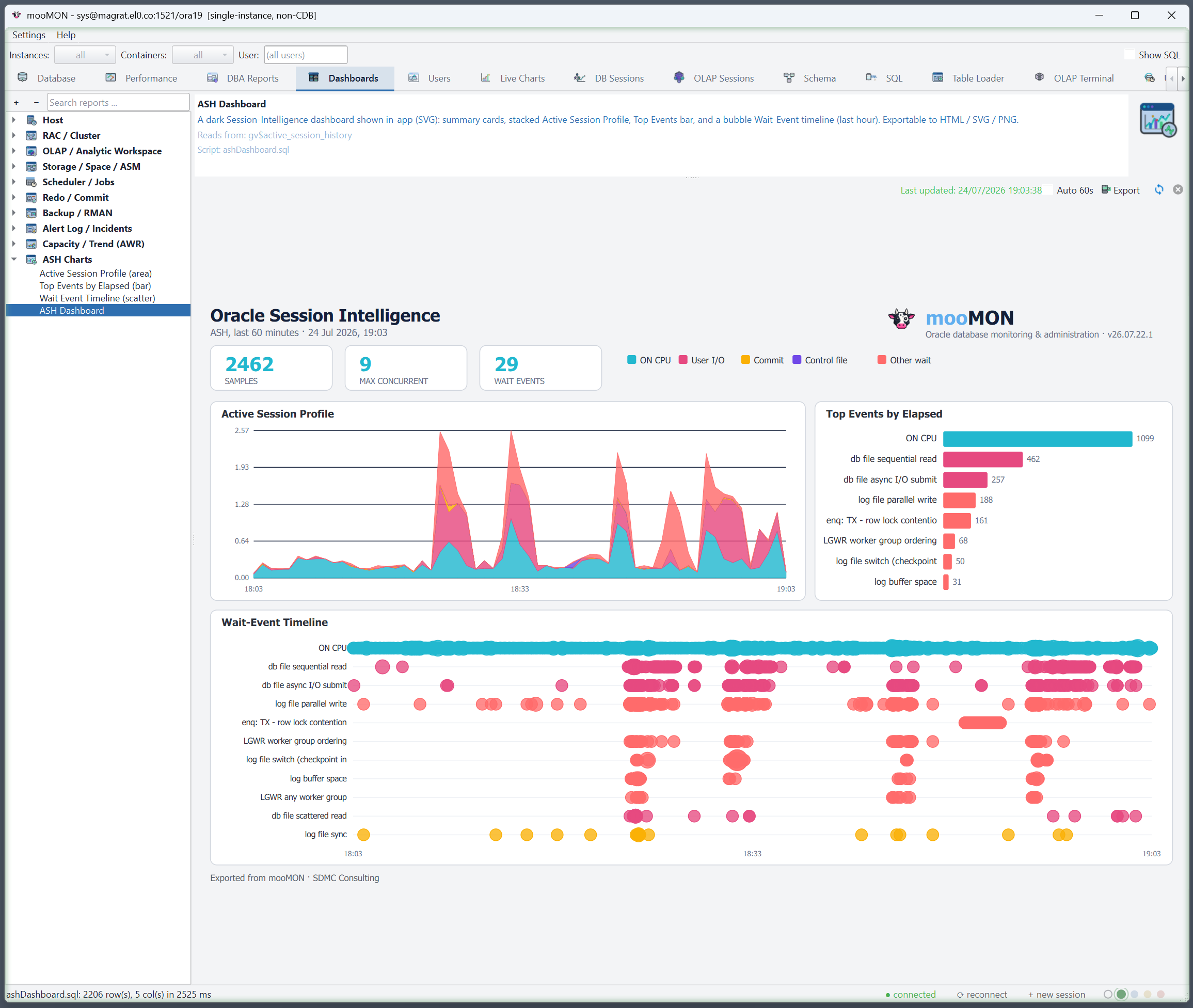
Fifteen purpose-built dashboards cover the host, RAC cluster, storage, redo, backup, the alert log, capacity trends and Active Session History — rendered as clean, themed visuals rather than walls of numbers.
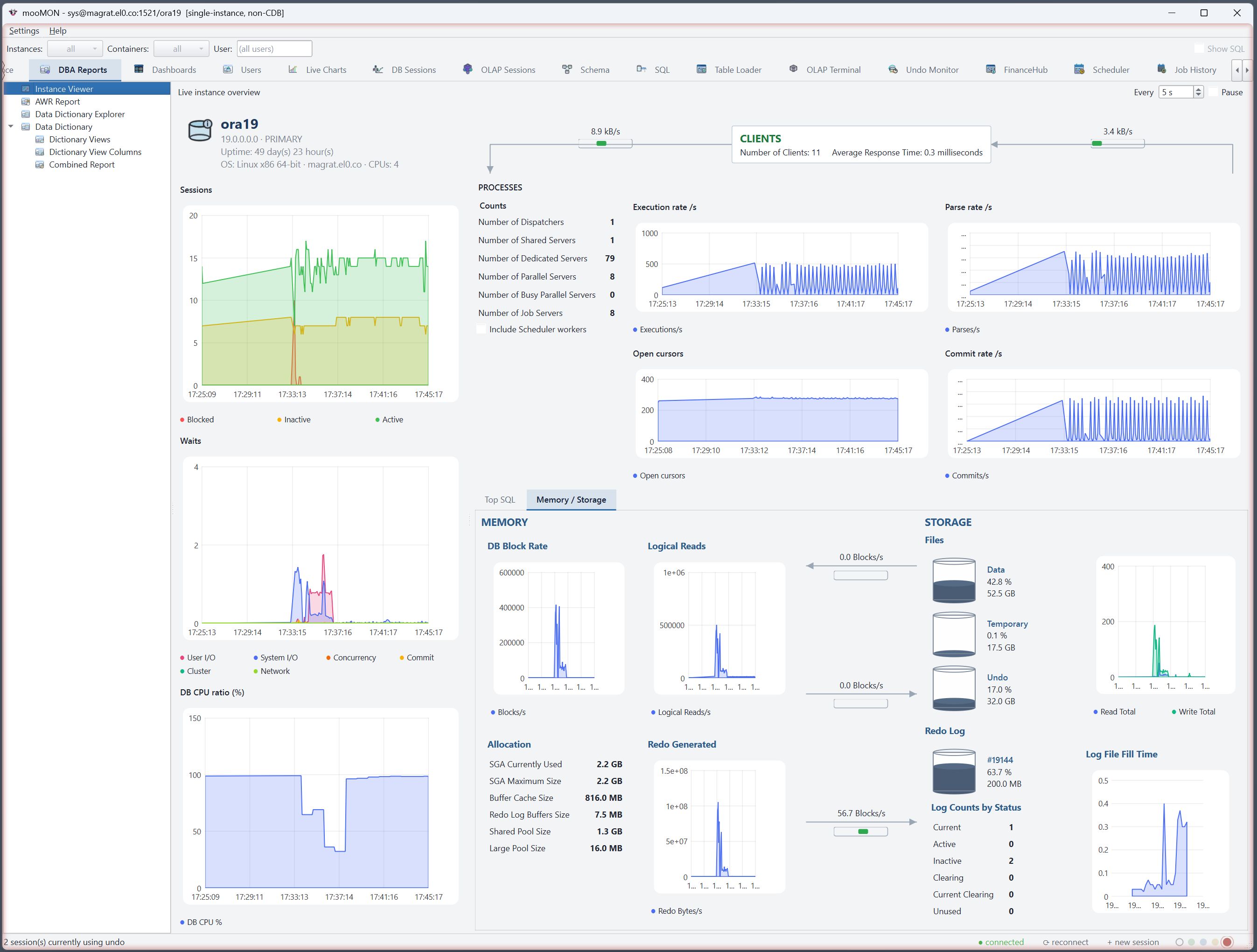
Watch DB CPU, sessions, waits, I/O, memory and Top SQL update live. On a cluster, choose a single instance or see one line per node; the header names the cluster, not just the node you happened to land on.
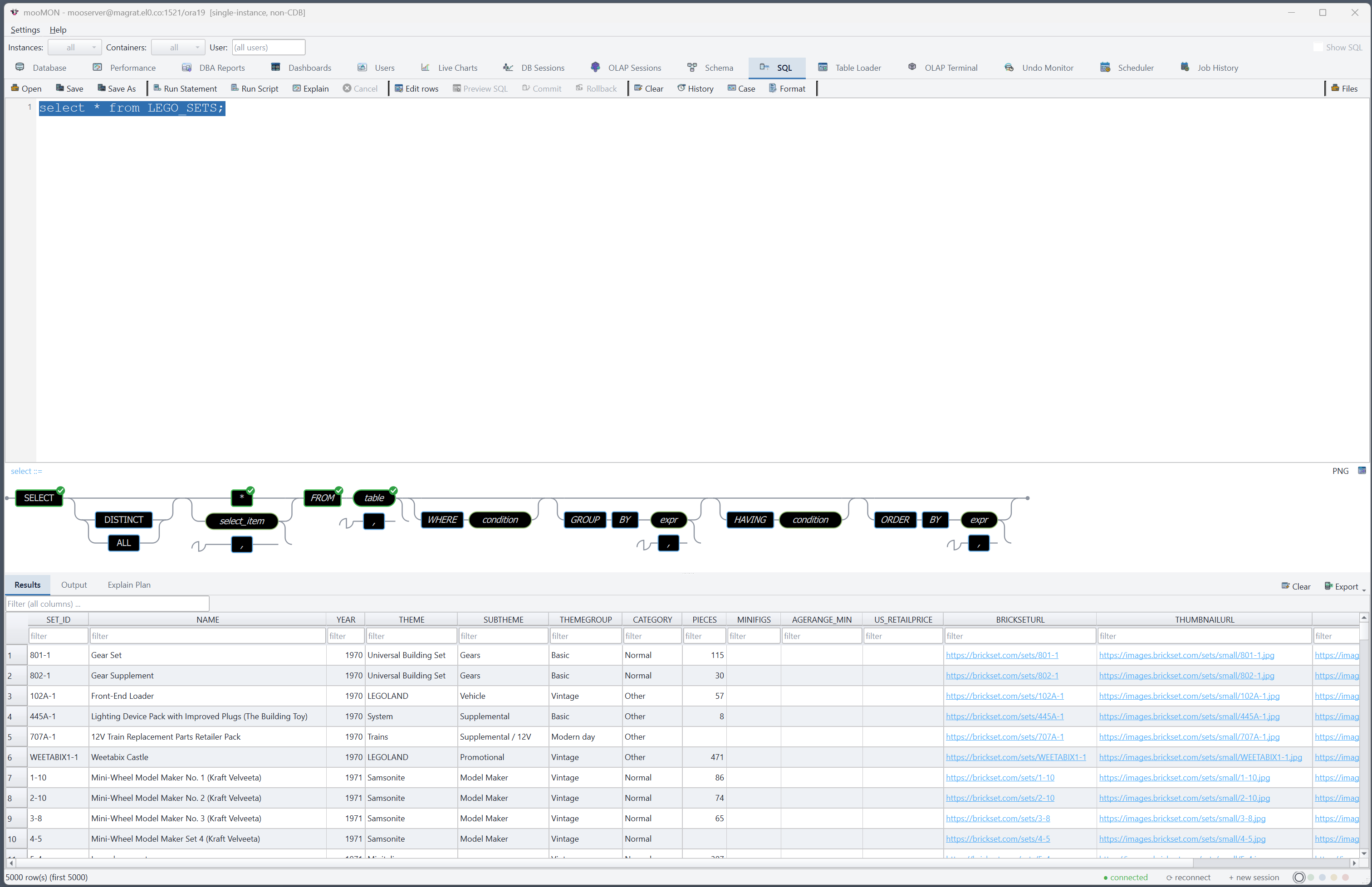
A full editor with column-aware completion, one-click Explain Plan, and a live railroad syntax diagram of the statement under your cursor — so the shape of a query is always in view. Results export straight to Excel or CSV.

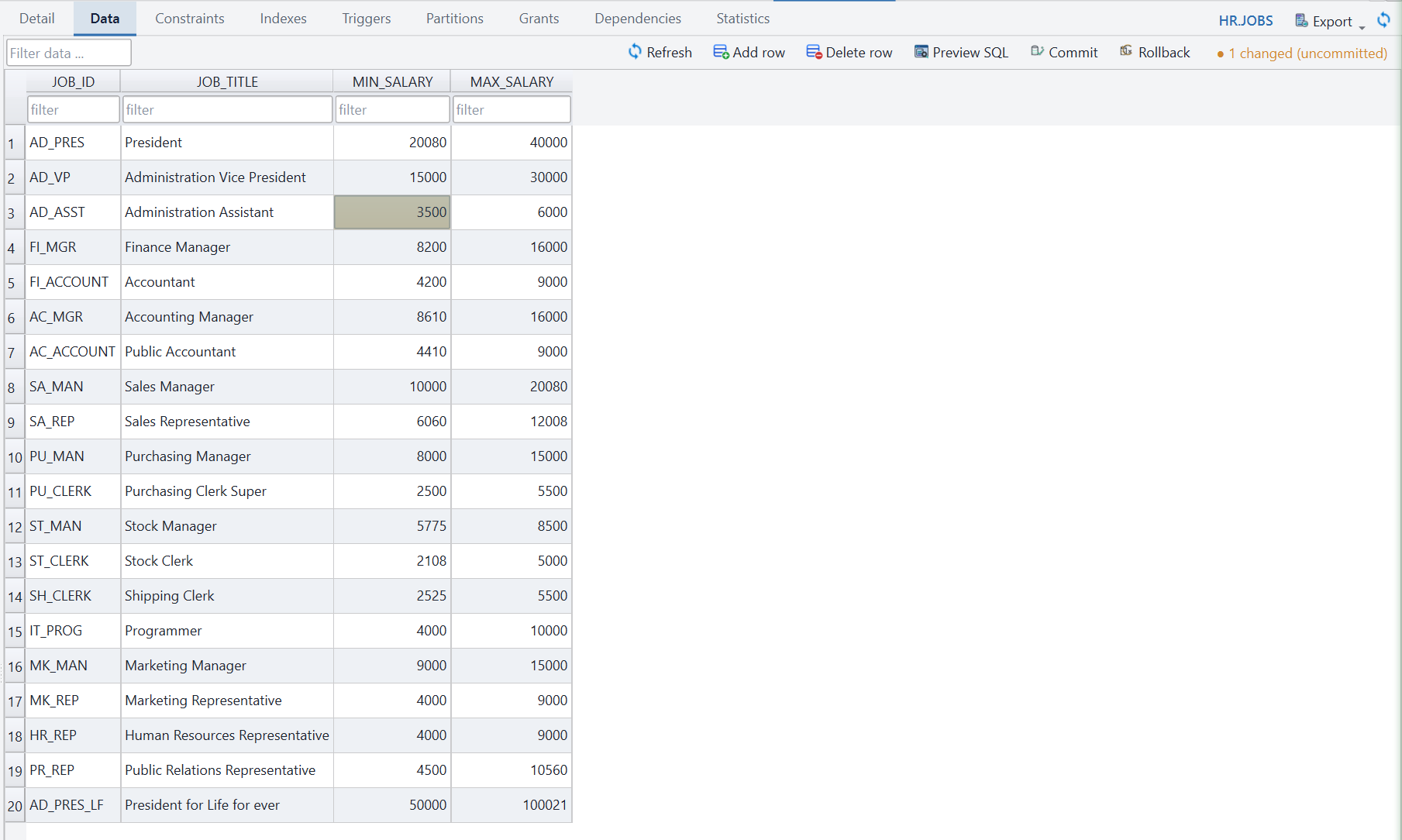
Navigate every object in the database, read its DDL, map its foreign keys, and edit table data directly in the grid. Every change is staged and shown to you as exact SQL before a single row is written.
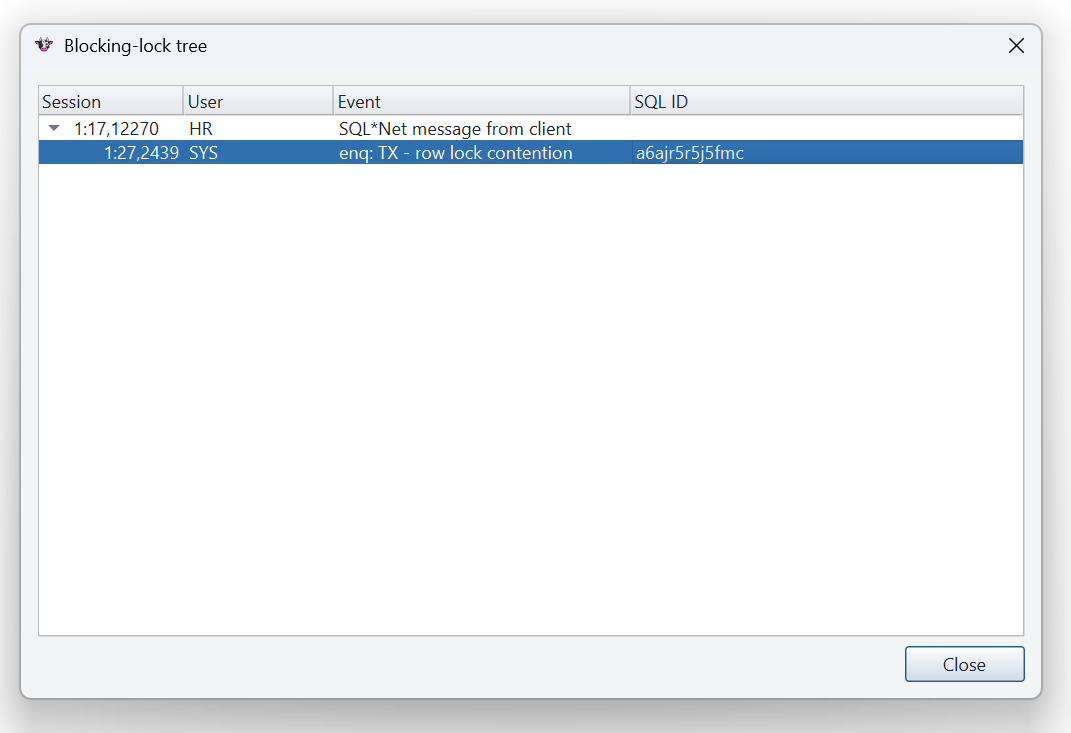
The session manager shows every connection, a live blocking tree, and long-running work, with the same safe kill/disconnect controls a step away. Undo and OLAP-session views round out the picture.
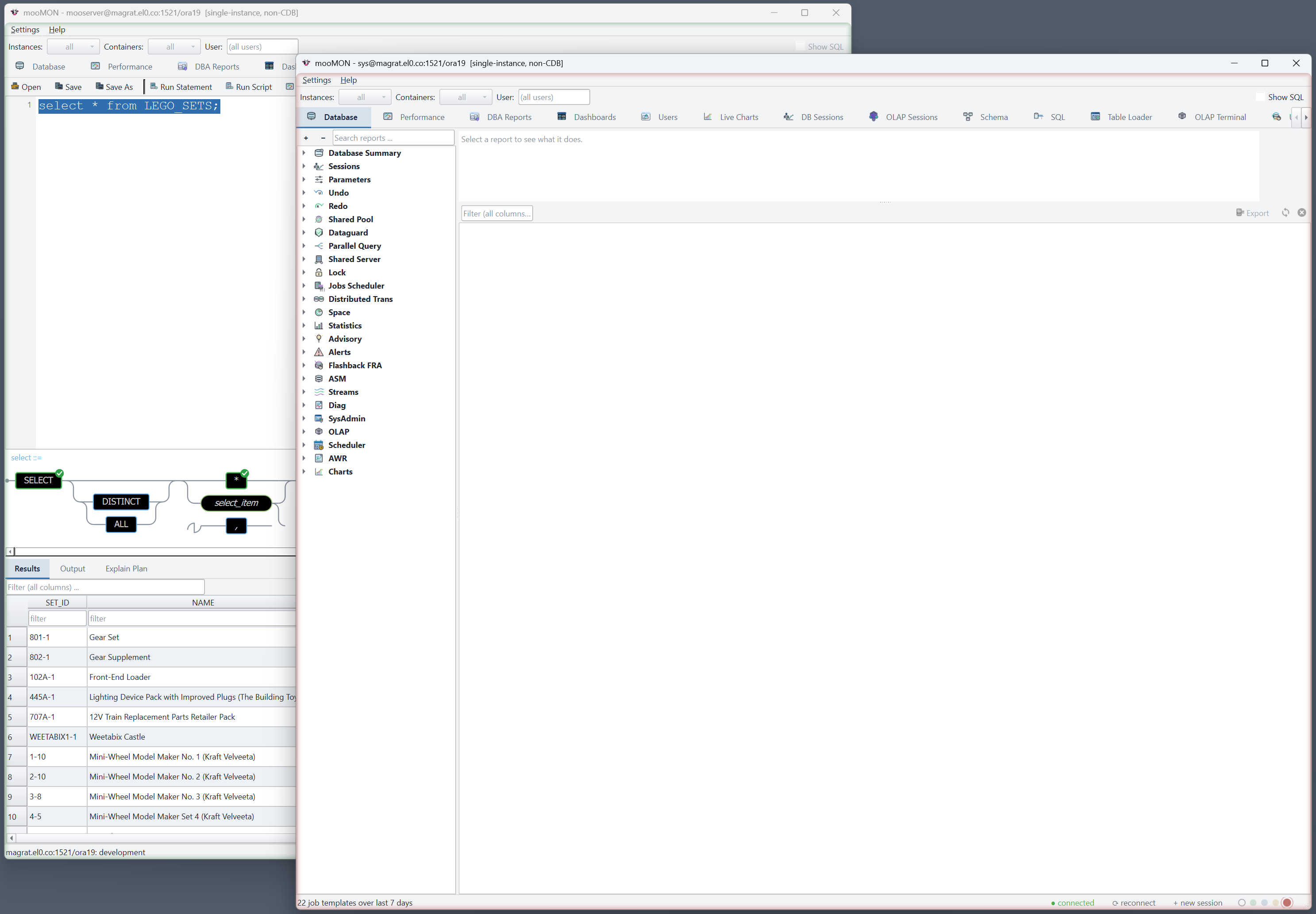
Open as many sessions as you need, side by side. Mark each connection with a soft colour — production red, dev green — shown as a halo around the window, so you always know which database you're about to touch.
A full PL/SQL editor — compile, run, outline, split spec/body — and a dedicated OLAP terminal for analytic-workspace work, with DML completion, convenience commands and output filtering. mooMON is a working environment, not just a dashboard.
moo help commands, mgrep filtering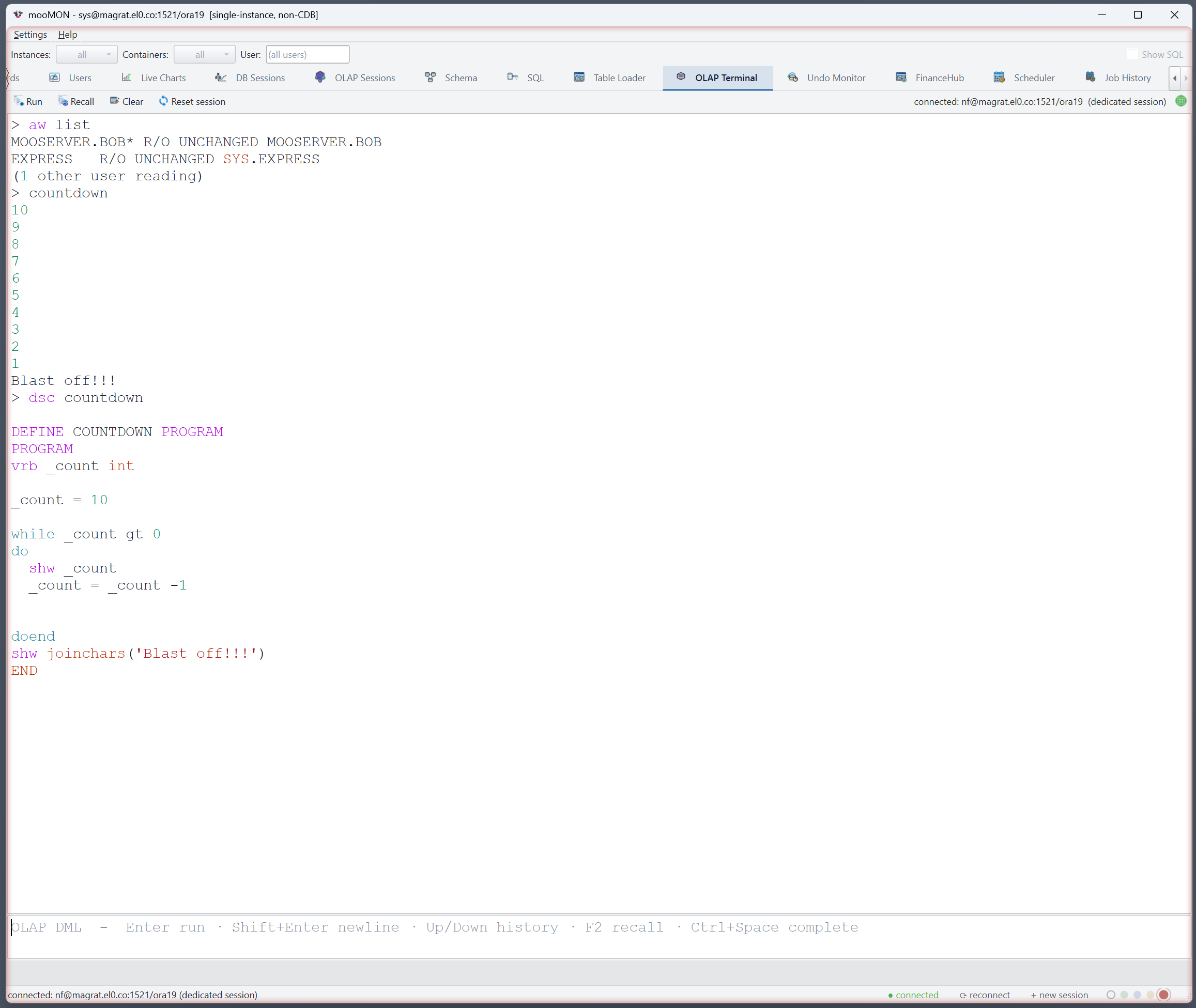
Type a question the way you'd say it and mooMON writes the Oracle SELECT for you — grounded in your live schema, read-only by design, and shown with its full working so you can trust it.
SELECTs only, with deterministic safety checks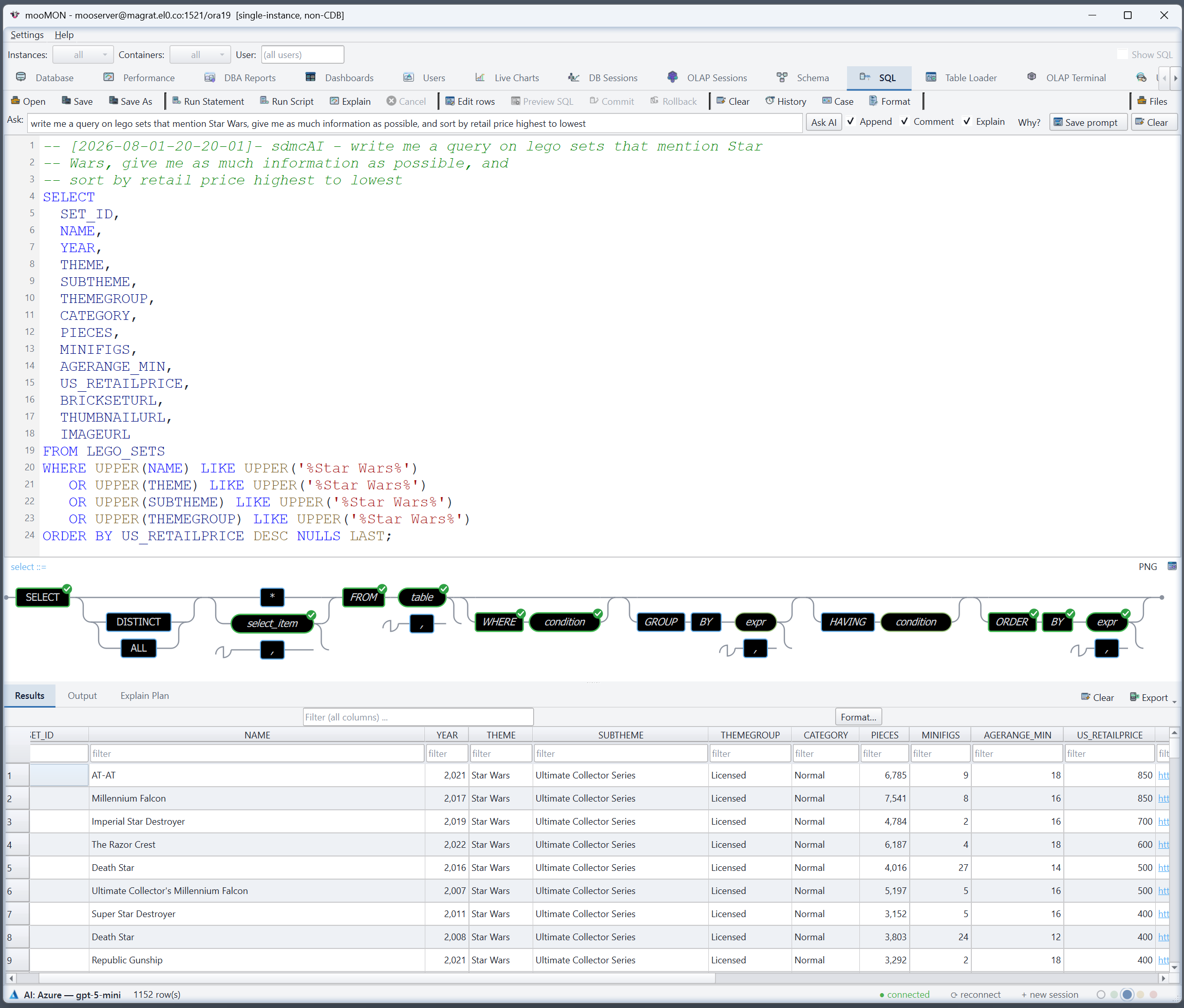
Designed for real estates — multitenant, clustered, locked-down — and for DBAs who need to move quickly without breaking things.
Connects in python-oracledb thin mode. No Oracle client, no ORACLE_HOME,
no LD_LIBRARY_PATH — just a TCP route to the listener.
Cluster-wide views, a per-instance selector, and a container switcher that lets you act inside a PDB straight from the CDB root.
Portable, self-contained bundles for Windows, macOS and Linux — each carries its own runtime, so there's nothing to pip-install on the target.
Data edits are staged and previewed as SQL; destructive actions confirm first. You always see what will run before it runs.
Probes the account's privileges and adapts — disabling what it can't run rather than failing, and falling back to the views you can see.
Built on a large body of hand-tuned Oracle diagnostic SQL, extended for RAC and multitenant databases, with 150+ reports written for mooMON.
The User Guide walks through connecting, monitoring, tuning, schema work, scheduling and OLAP — with a screenshot for every screen.
 mooMON